

What problem does the EasyTerritory EasyMap solve?
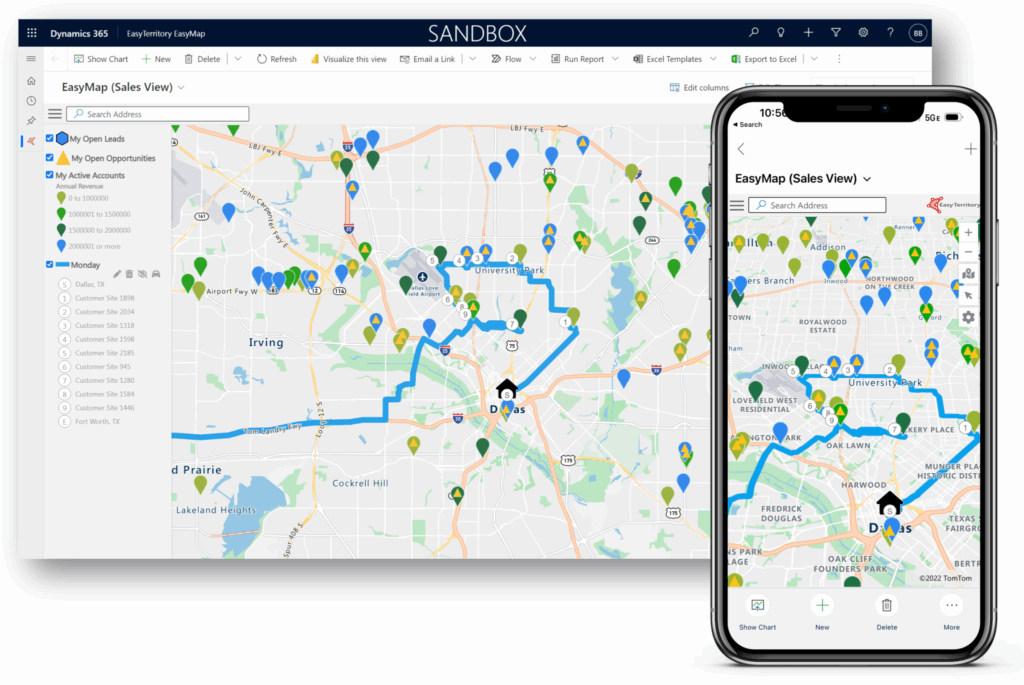
The EasyTerritory EasyMap PCF for Power Apps is the ideal mapping solution for Microsoft Dynamics 365 and Dataverse users who need efficient, multi-location route planning and geographic insights. Traditional PCF controls are limited because they can load records from only a single view or entity at a time. EasyMap removes this restriction by supporting multiple views across multiple entities, allowing you to visualize all relevant business data on a single interactive map inside Dynamics 365.
Once your records are loaded, EasyMap becomes a powerful sales and service productivity tool with rich, map-driven workflows.
Key features available inside EasyTerritory EasyMap
View customer locations and record details
Explore full geographic and CRM attribute data for each plotted record in an intuitive, interactive map—far easier and faster than route planning with Excel.
Create multi-stop routes and schedules
Automatically generate daily driving routes within your sales or service territory, with support for unlimited stops.
Generate travel-time rings
Quickly visualize how far accounts or assets are from your location while in the field.
Calculate distance and travel time between locations
Perform instant point-to-point calculations to aid in sales planning, dispatching, and scheduling.
Launch voice navigation
Open Google Maps, Apple Maps, or Waze directly from EasyMap to start turn-by-turn navigation immediately.
Create points of interest
Use the Yelp API to search for nearby points of interest, check their distances, and add them directly to your route.
Overlay territories
Display sales territories created in EasyTerritory Designer to clearly visualize all boundaries relevant to your accounts or field activities.
Next Steps:
Configure EasyMaps